Sending a newsletter
There’s no editor to learn. You write a newsletter the same way you write any email — from Apple Mail, Gmail, Outlook, whatever you already use.
How it works
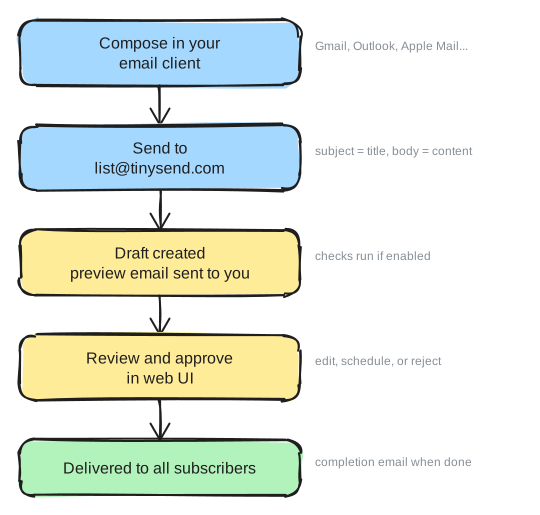
Every list has its own email address: yourlist@tinysend.com (or your custom domain). To send a newsletter:
- Compose an email from the address you set as the sender
- Send it to your list address
- tinysend turns it into a draft post and emails you a preview link
- Open the draft, review it, and approve — it goes out to every active subscriber
The subject line becomes the newsletter title. The body becomes the content. Attachments are kept and linked.
Why the approval step
The draft step exists so a typo or a wrong-list mistake never reaches your subscribers. Nothing sends until you approve it. You can edit the draft before approving.
If you enable pre-send checks, tinysend will also automatically check your email for broken links, spelling, and grammar before you review it. Results show in the preview email and on the approval page.
If you’d rather skip review for a list, you can turn approval off in the list settings.
Scheduling
Instead of sending right away, you can schedule a draft for a later time. Scheduled posts send automatically when the time arrives, as long as you’re within your warm-up capacity for that day. See email warm-up.
Public archive
Once sent, each newsletter becomes a web page at yourlist.tinysend.com with its own URL, an RSS feed, and an OG image for sharing. You can turn the archive off per list if you want sends to stay private.
Sending from the API
You can also create and send posts over the API — useful for automations and agents. The flow is the same: create a draft, then send it.
Questions?
Contact us at hi@tinysend.com.